MCP Server — Bila UiTM Cuti
Connect Claude to the Bila UiTM Cuti MCP server to ask about the UiTM academic calendar and Malaysia public holidays in plain language.
Remote MCP URL
Add it to Claude
In Claude, go to Customize → Connectors, click Add custom connector, paste the URL above, and set authentication to None. Then enable it per conversation from the + menu → Connectors.
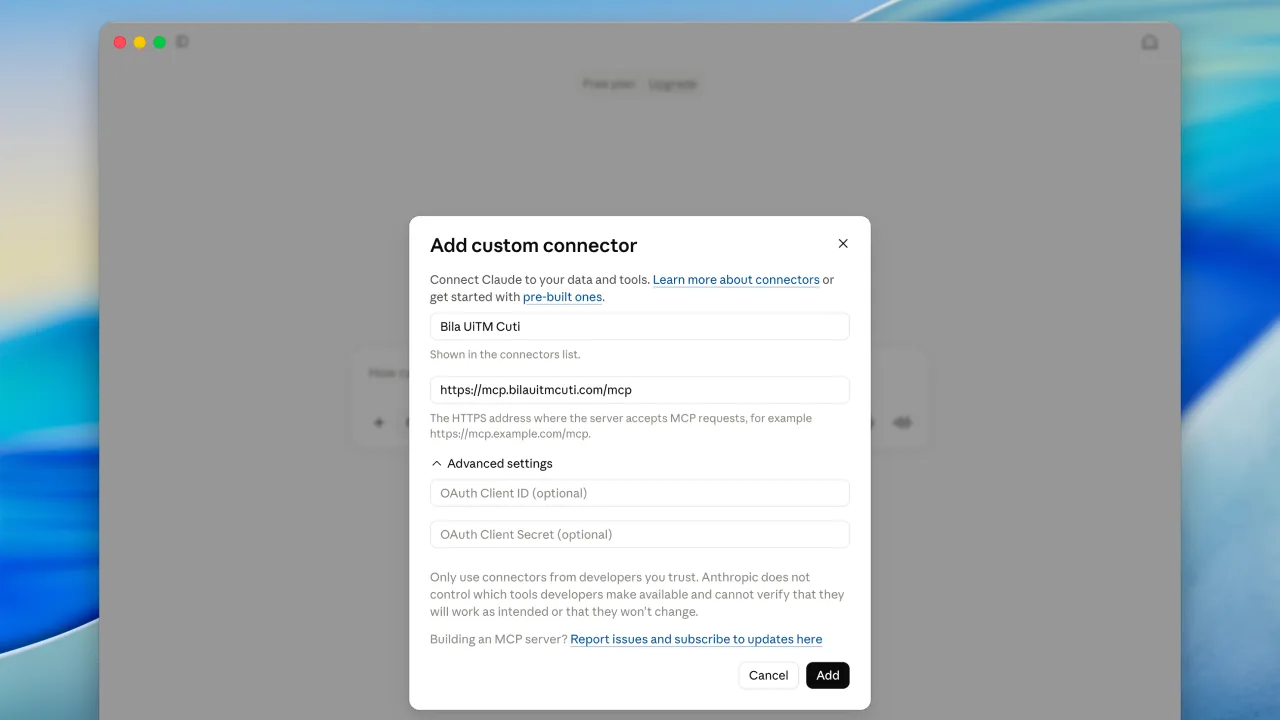 Add the custom connector and paste the MCP URL.
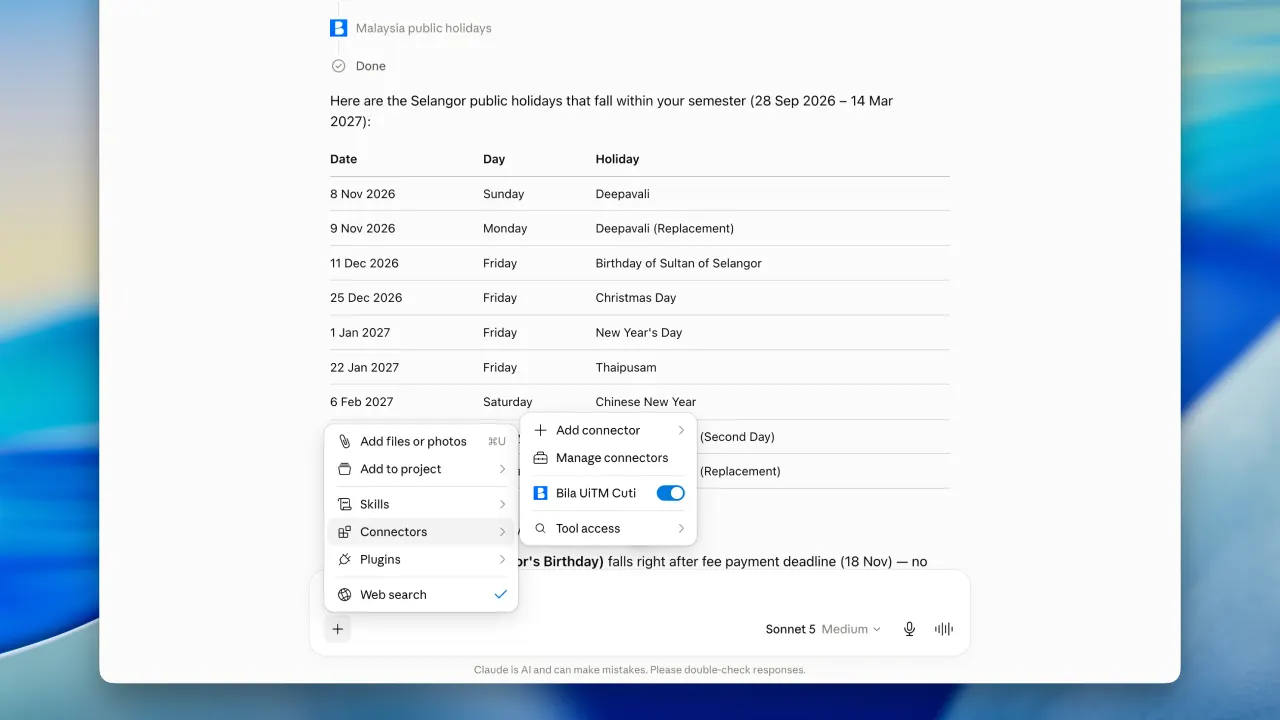 Enable the connector for your conversation.
Try it on Grok Bot
Want an instant assistant already set up? Add the Bila UiTM Cuti bot on Grok to get answers about lectures, cuti, exams, registration, and public holidays—no connector setup needed.
Note: A paid subscription is required to use the Grok bot.
Need more help?
Watch the step-by-step video tutorial for adding the connector in Claude.